Algo Trading with Neo Trade API
Introducing faster trading APIs with zero* brokerage
Where next-gen technology empowers trading
₹0 Brokerage on Trade Free Plans
Amplify Your Algo Trading Strategy
What’s Possible with Neo Trade APIs? Almost Everything
The Kotak Neo Trade API lets you:
- Trade programmatically: Place, modify, and cancel orders across Equity and F&O segments.
- Monitor portfolios: Track holdings, positions, and P&L in real-time
- Access market data: Get live quotes for stocks, ETFs, and indices
- Check margins: Validate order feasibility before placing
- Automate strategies: Build algorithmic trading systems
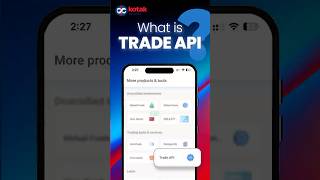
If you're looking to understand Kotak Neo Trade API, API trading basics, or automated trading in India - this video breaks it down with a simple example.
Kotak Neo
•01m 57s


FAQs on Trading API
A trading API allows you to connect your trading account with an app or software to view market data and place orders digitally. It removes the need for manual clicks on a trading platform and enables account access through technology.
To use an API in trading, you enable API access for your trading account and connect it to an app or software of your choice. Once connected, you can view market prices, place orders, and track your account digitally in an organised way.
Kotak NEO Trade API is suitable for users who want better control, automation, or customization in how they monitor markets and manage trades. It is commonly used by active traders, developers, and users building their own trading tools.
To access the API, follow these steps:
Login to your Kotak Neo account
Go to Invest > Trade API > API Dashboard
You can generate your API access token, view documentation links, and manage whitelisted IPs.
TRADE API as a Product/feature/ service is free of cost at present – i.e. no subscription charges for using this service. For brokerage charges on order placed using Trade API, please refer Trade API brokerage applicable FAQ.
A trading API helps reduce manual effort and improves consistency by allowing actions to be handled through systems or applications. It is useful for users who prefer structured workflows, data-driven decisions, and scalable trading setups.
You get instant access. Once you generate your token and register your static IP, your account is ready to use immediately.
- Copy your access token from the API Dashboard.
- Register your TOTP (Google Authenticator, Microsoft Authenticator, etc.) to generate 6-digit login codes.
- Use the access token and hit the respective API endpoint along with correct headers and request body.
- Refer documentation for detailed guidance.
TRADE API as a Product/feature/ service is free of cost at present – i.e. no subscription charges for using this service. For brokerage and other charges on order placed using Trade API, please refer Trade API brokerage applicable FAQ.
Yes. Neo Trade APIs are 100% RESTful and language-agnostic. Whether you code in Python, Java, C#, Node.js, or Go - you can connect easily using HTTP libraries or SDKs.
Yes. After authenticating with your access token and TOTP, you will receive session credentials. With these, you can:
- Place orders (Market, Limit, Stop-loss, CO, BO, AMO)
- Modify/Cancel orders
- Access order book, trade book, positions, holdings, margins
Brokerage is ₹0 per order on all trade free plans when you place trades via Neo Trade APIs. Only standard exchange, SEBI, GST and statutory charges apply. However, for Bracket Orders, while the initial order has zero brokerage, the square-off leg will attract standard brokerage charges.
Currently, the system supports up to 10 orders per second.
Yes. Any customer with a trading account on Kotak Neo can request API access by generating their access token and registering their static IP.
Neo Trade API supports all major product types:
- CNC - Delivery trades
- MIS - Intraday trades
- NRML - Normal/F&O trades
- CO - Cover Orders
- BO - Bracket Orders
- AMO - After Market Orders
If you’ve forgotten or no longer have access to your TOTP, you can reset it by deregistering and then registering again. Follow these steps:
- Go to the TOTP setup link here
- Enter your mobile number
- Generate and submit the OTP
- Click on “De-register” to remove the existing TOTP
- Once deregistered, you can register again by completing the same setup flow.
This will configure a fresh TOTP and restore access for Trade API usage.
As per SEBI regulations, market orders are not allowed for retail algo trading. Kotak Neo recommends using limit orders for better price control and execution.
If you still place a market order, it will be automatically converted into a limit order using a protection price based on the Last Traded Price (LTP):
- Buy orders → limit price set slightly above LTP
- Sell orders → limit price set slightly below LTP
This protection range depends on the instrument and price:
Equity & Futures (EQ / FUT):
o Below ₹100 → within 2% of LTP
o ₹100 to ₹500 → within 1% of LTP
o Above ₹500 → within 0.5% of LTP
Options (OPT):
o Below ₹1 → ₹0.10 fixed
o ₹1 to ₹5 → 10% of LTP
o ₹5 to ₹10 → 5% of LTP
o ₹10 to ₹100 → 3% of LTP
o ₹100 to ₹500 → 2% of LTP
o Above ₹500 → 1% of LTP
Important:
- If LTP is unavailable for options, the order will be rejected
- Even if you place a market order, it will show as a limit order in the order book
- The same logic applies to AMO (After Market Orders)
For precise and predictable execution, always use limit orders.
₹0 Brokerage on Trade Free Plans